Export or sync from TIA Portal
Keep the canonical TIA project workflow, export SCL, S7DCL, tag tables, resources, and data types using the TIA Version Control Interface
 Dynamic PLCCheck
A faster secondary workflow for TIA Portal projects
Dynamic PLCCheck for Siemens adds fast editing, diagnostics, FBD previews, tag-table tooling, and millisecond PLC unit-test cycles for SCL / Structured Text and TIA Portal exports.
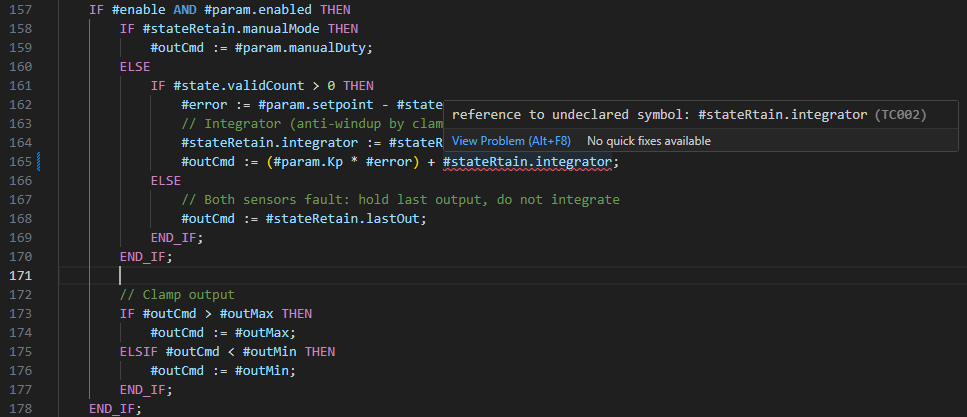
Import/export through TIA Portal, then use VS Code for fast navigation, review, tests, and LLM-assisted changes.
Workflow
Keep the canonical TIA project workflow, export SCL, S7DCL, tag tables, resources, and data types using the TIA Version Control Interface
Navigate code quickly, inspect generated FBD, edit tag tables, and let diagnostics run without waiting on the TIA UI.
Unit tests reset memory in milliseconds, avoiding the roughly two-second reset penalty that makes TIA unit-test loops drag.
Plain files, CLI checks, and documentation make PLC code easier to search, explain, refactor, and review with local or hosted LLM tools.
Import the changes into the TIA portal to do final verification against your process
Capabilities
Diagnostics, type checking, hover, completion, and go-to-definition for Siemens SCL / Structured Text projects.
Open .s7dcl files as readable FBD previews so exported logic can be reviewed without waiting on a full Portal session.
Work with PLC tag-table XML in a focused table UI instead of raw export files.
Author .scltest cases and run deterministic unit-target or whole-program checks with memory reset in milliseconds.
See coverage directly in the file tree while test cases run against exported PLC code.
Watch PLC values with state recording so you can inspect what a value was at a specific point in the program, not only the latest value.
Step through PLC execution from VS Code while inspecting source, generated code, runtime output, and watched values.
Run plccheck from terminals or CI, and expose PLC code as normal text that LLM tools can inspect and edit.
Use .plc.json files to keep symbols and types isolated when a workspace contains multiple PLCs.
Why this exists
The extension targets the slow parts of day-to-day PLC development: opening files, jumping between symbols, running small tests, and checking exported code repeatedly.
FBD networks, S7 resources, tag tables, quoted identifiers, and project-library references become inspectable from normal editor workflows.
Because the workflow is file-based and CLI-addressable, LLM tools can reason over source, docs, tests, and diagnostics much more directly than inside a closed TIA UI.
Workflow proof
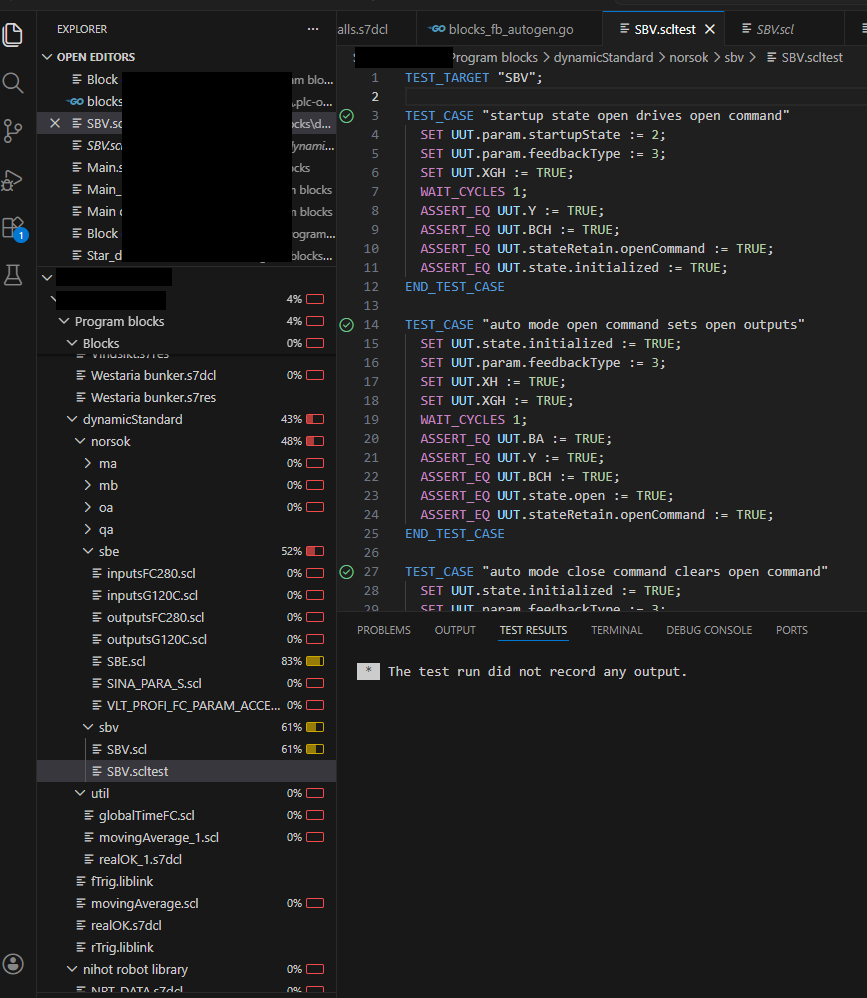
The extension surfaces coverage percentages directly in the VS Code file tree while .scltest cases exercise the generated runtime.
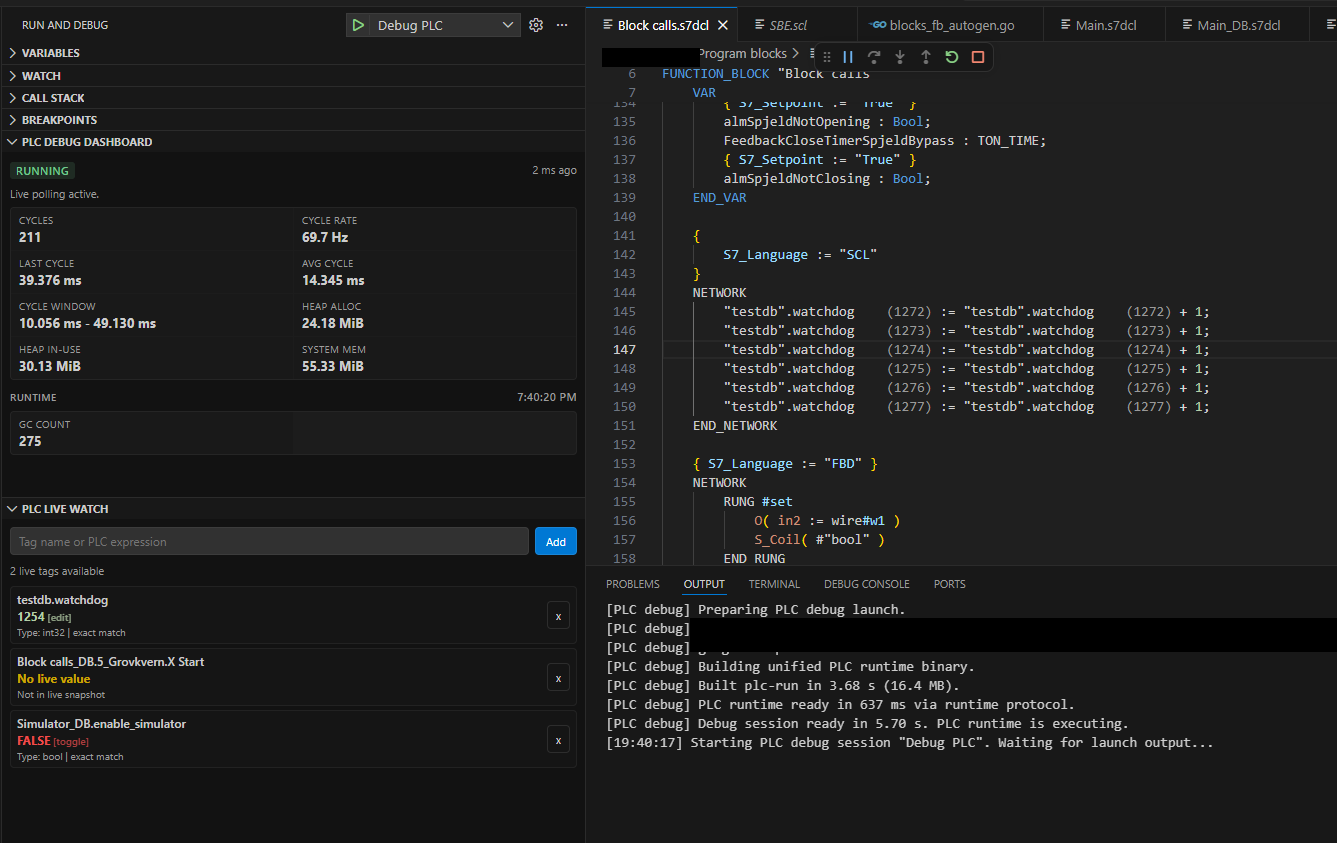
TIA watch tables are built around the latest value. The VS Code debug workflow records state so the editor can show what a value was at the point in the program you are inspecting.
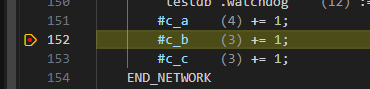
Set breakpoints and step through PLC execution from VS Code while inspecting the current source location and recorded values.
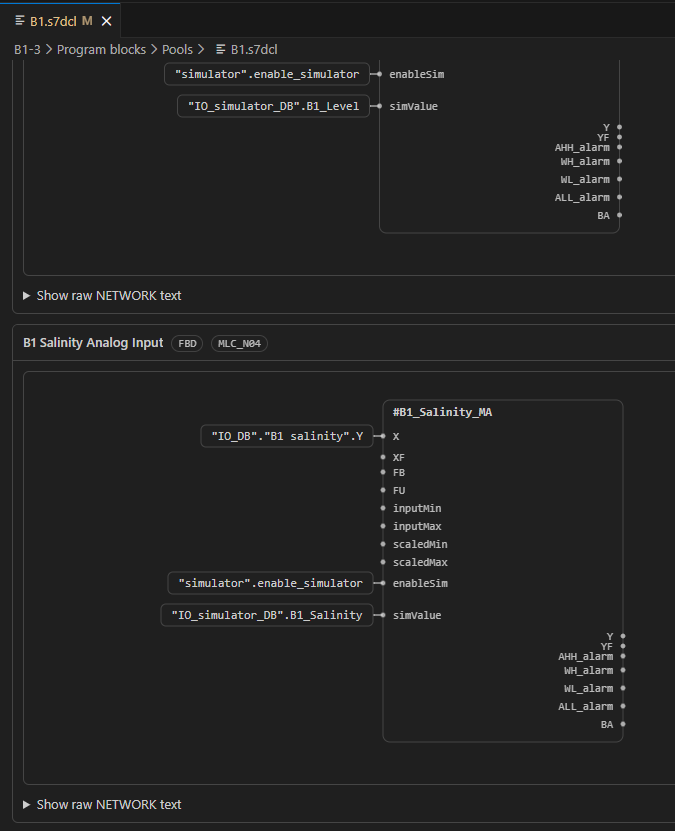
FBD networks exported as .s7dcl can be reviewed visually inside VS Code, so graphical logic is not reduced to raw text during code review.
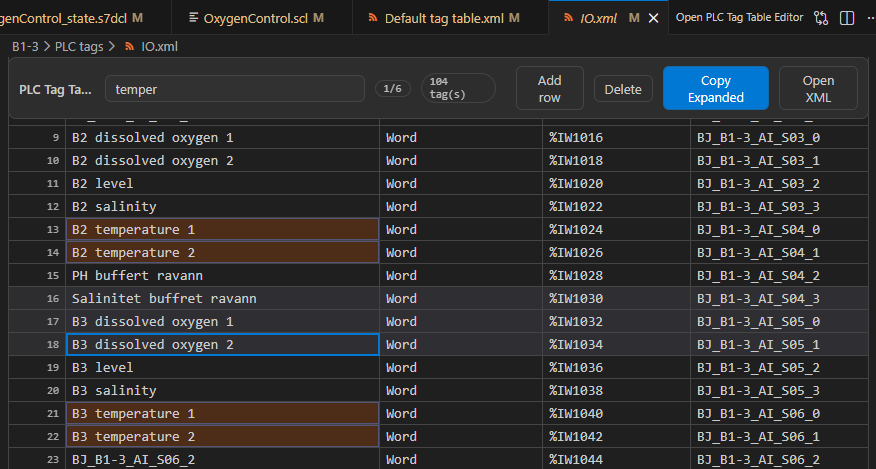
PLC tag-table XML is still part of the TIA export format, but it is not a good editing surface. The extension presents it as a table while preserving the exported data model.
S7DCL exports stay connected to diagnostics, resource navigation, previews, and the rest of the PLC source tree.
Test loop
TIA unit tests spend about two seconds resetting memory between cases. The extension's generated runtime resets state in milliseconds, which makes small unit tests practical while editing.
Debug visibility
TIA monitoring shows the latest observed value. The VS Code workflow records state so a debug session can show what a value was at the point in the program you are inspecting.
Documentation
Set up PLC roots, open TIA exports, run fast tests, and use the debugging tools from VS Code.